Transforming Flat Sheets into Living Art: The Complete Guide to Laser Cut 3D Flower Wall Decor
In the evolving world of interior design and digital fabrication, few trends have captured the imagination of creators quite like Laser Cut 3D Flower Wall Decor. What begins as a simple digital file transforms, through the precision of modern technology, into a stunning, multi-layered masterpiece that adds depth, texture, and life to any space. Whether you are a seasoned maker with a fully equipped workshop or a hobbyist just discovering the potential of laser cutting, understanding the process behind these intricate designs opens up a world of creative possibility.
This guide explores the significance of 3D floral art, demystifies the digital files required to create them, and walks you through the practical steps of bringing these designs from your computer screen to your wall. By breaking down the technology and the technique, we aim to empower you to create your own unique pieces of art.
The Renaissance of Floral Art in the Digital Age
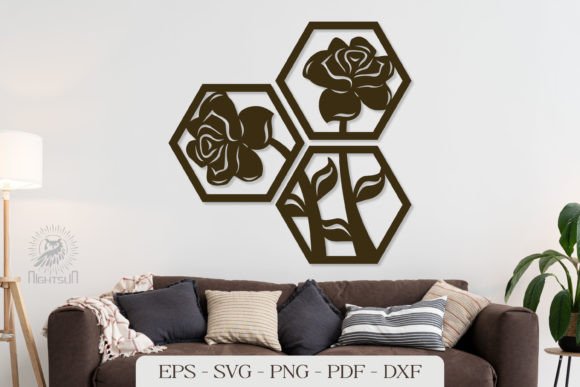
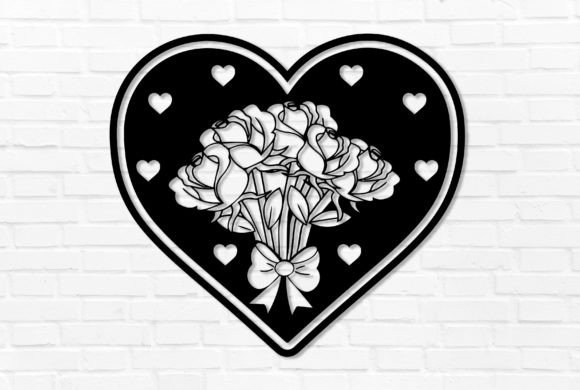
Flowers have always been a universal symbol of beauty, growth, and nature. Traditionally, capturing their essence in home decor meant painting, sculpting, or arranging fresh blooms. However, Laser Cut 3D Flower Wall Decor represents a fusion of organic aesthetics and industrial precision. Unlike flat decals or two-dimensional prints, these designs utilize layering to mimic the natural complexity of petals unfurling toward the light.
The purpose of this art form extends beyond mere decoration. In modern interiors, where minimalism often dominates, 3D wall art introduces necessary texture without clutter. For businesses, such as boutiques, cafes, or wedding venues, these installations serve as powerful visual anchors that elevate the brand's atmosphere. In educational settings, they demonstrate the intersection of mathematics (geometry and symmetry), biology (botanical structures), and technology, making them excellent tools for STEAM learning.
Why Choose Laser Cutting for Floral Designs?
Laser cutting is uniquely suited for floral patterns due to its ability to handle intricate details that would be impossible or incredibly time-consuming to achieve by hand. A laser beam can cut delicate veins in a leaf or the serrated edge of a petal with absolute consistency. When these precise layers are stacked, they create shadows and highlights that change as the viewer moves around the room, giving the flower a "living" quality.
Furthermore, this method is highly versatile regarding materials. While wood and acrylic are popular choices, creators also use cardstock, leather, and even metal. This flexibility allows the same design to feel rustic in a wooden finish or sleek and modern in mirrored acrylic.
Understanding Your Digital Toolkit: What Is Inside the ZIP File?
Before the physical creation begins, everything starts with a digital blueprint. When you purchase or download a premium Laser Cut 3D Flower Wall Decor package, you are typically receiving a compressed ZIP archive. Understanding what is inside this file is crucial for ensuring compatibility with your specific equipment and software.
A comprehensive package usually includes a wide array of file formats to cater to different users and machines:
- AI (Adobe Illustrator): The native vector format for Adobe users. This is ideal for those who wish to edit the design, change sizes, or modify petal shapes before cutting.
- SVG (Scalable Vector Graphics): A universally accepted web-standard vector format. This is perfect for users of browser-based software like Glowforge or open-source programs like Inkscape.
- DWG and DXF: These are industry-standard formats often used in CAD (Computer-Aided Design) software. They are essential for users operating industrial laser cutters or CNC machines that require precise dimensional data.
- EPS (Encapsulated PostScript): Another robust vector format compatible with many graphic design suites, ensuring high-quality scaling without pixelation.
- HIGH PNG and JPG: While lasers read vectors, these raster images are invaluable for previewing the final look, creating marketing materials, or using with die-cutting machines that accept image traces.
Having access to this variety ensures that no matter your skill level or the software you prefer, you can proceed with your project without technical hurdles. It is a common misunderstanding that one needs expensive software to use these files; however, free alternatives like Inkscape can easily open SVG and DXF files, making this art form accessible to everyone.
From Download to Display: A Step-by-Step Guide
Creating your Laser Cut 3D Flower Wall Decor is a rewarding process that blends digital management with hands-on craftsmanship. Follow these logical steps to ensure a smooth workflow from the moment you acquire the files to the final installation.
Step 1: Acquisition and Extraction
The journey begins when you download the file to your computer. Most downloads come in a ZIP archive to keep the multiple file formats organized and to reduce file size. You cannot send a ZIP file directly to your laser cutter. You must first extract the contents. On Windows, you can right-click the folder and select "Extract All," while Mac users can simply double-click the ZIP file. Once extracted, you will see the individual AI, SVG, DXF, and image files ready for use.
Step 2: Software Preparation and Upload
Next, open your preferred cutting machine software. Whether you are using LightBurn, RDWorks, Glowforge App, or Silhouette Studio, import the file format that matches your workflow (e.g., upload the SVG or DXF).
At this stage, it is vital to check the scale. Ensure the design fits your material bed and that the dimensions match your vision. You may need to assign different colors to different layers within the software to tell the laser which lines to cut first or to differentiate between engraving and cutting paths. This preparation phase is where you optimize the toolpath to save time and material.
Step 3: The Cutting Process
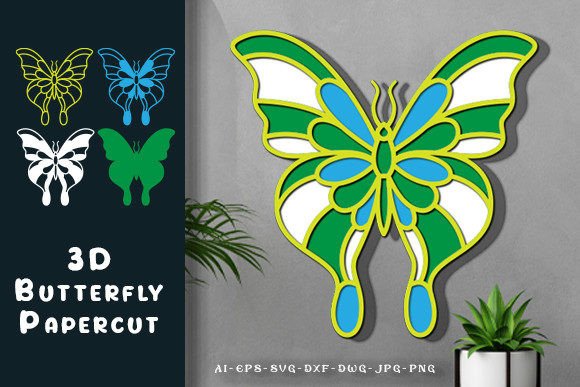
With your file loaded and material secured, initiate the cutting process. The machine will meticulously trace the outlines of each petal, leaf, and stem. For a 3D effect, the design usually consists of several distinct layers, each slightly smaller or shaped differently than the last.
Pro Tip: Patience is key here. Rushing the laser speed can result in burnt edges, especially on wood. Always run a test cut on a scrap piece of your chosen material to dial in the perfect power and speed settings before committing to the full design.
Step 4: Assembly and Layering
Once all layers are cut, the true magic happens. Carefully remove the pieces from the waste material (a process known as "weeding"). You will notice a serial order to the pieces. Stack them in the correct order as per the serial numbers or the visual guide provided.
To assemble, you can use strong craft glue, double-sided foam tape (which adds extra depth between layers), or small wooden dowels for a floating effect. Aligning the center points of each layer is critical for maintaining the flower's symmetry. As you stack the layers, watch the shadow play develop, transforming flat shapes into a blooming sculpture.
Practical Relevance and Creative Applications
The ability to create Laser Cut 3D Flower Wall Decor is not just a party trick; it has practical relevance in various sectors. For small business owners, offering custom-sized floral installations can be a lucrative niche. Because the designs are digital, they can be scaled infinitely—a small flower for a gift box or a massive six-foot installation for a hotel lobby requires only a change in settings, not a new design.
In education, these projects teach spatial reasoning. Students learn how 2D shapes interact to create 3D volume. In therapy and mindfulness practices, the assembly process itself can be meditative, requiring focus and gentle handling.
It is important to clarify a common assumption: you do not need to be an artist to create art with these files. The design work is done digitally; your role is that of a fabricator and assembler. This lowers the barrier to entry, allowing anyone with a machine and a desire to create to produce professional-grade decor.
Final Thoughts
The fusion of technology and nature found in Laser Cut 3D Flower Wall Decor offers a unique avenue for expression. By leveraging versatile file formats like AI, SVG, and DXF, and following a structured process of extraction, cutting, and assembly, you can turn raw materials into breathtaking focal points.
We are happy to answer any questions you may have regarding file compatibility, material selection, or assembly techniques. Thank you for visiting my store and taking the first step toward creating your own stunning 3D floral masterpieces. Whether for your home, a special event, or a new business venture, the possibilities are as endless as the petals themselves.